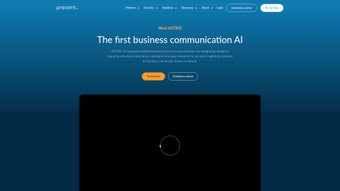

Download Astrid AI – AI‑Powered Presentation Builder, Free & Secure
Overview: Transform Every Slide into a Storytelling Masterpiece
Astrid AI is a web‑based presentation‑creation platform that blends cutting‑edge artificial intelligence with proven storytelling techniques. Designed for business professionals, marketers, educators, and anyone who needs to convey ideas with impact, Astrid AI acts as a real‑time communication assistant. By analyzing audience sentiment, industry trends, and brand guidelines, the tool crafts slide decks that feel both personal and authoritative. Whether you’re preparing a quarterly earnings report, a pitch deck for investors, or a training module for staff, Astrid AI ensures each message is aligned with your business objectives and resonates with the intended audience.
The platform leverages two powerful AI subsystems: Computer Vision, which interprets visual elements like images, charts, and color palettes, and Natural Language Processing, which refines the copy, tone, and structure of your narrative. This dual approach lets Astrid AI suggest on‑brand graphics, rephrase complex data into digestible insights, and even predict which slide order will keep viewers engaged the longest. In addition, the application offers a robust training and enablement program, delivered by industry experts, that helps users sharpen presentation skills, receive actionable feedback, and stay ahead of emerging trends. The result is a seamless, secure, and continuously updated tool that turns ordinary decks into compelling stories that drive decisions.
Security and compliance are baked into every layer of Astrid AI. All data is encrypted with AES‑256 both at rest and in transit, and the service adheres to GDPR, ISO‑27001, and SOC 2 standards. Regular penetration testing and automated vulnerability scans guarantee that the platform remains resistant to emerging threats. Moreover, Astrid AI’s update pipeline delivers new AI models, design templates, and feature enhancements every month without requiring user intervention, ensuring you always work with the latest technology. The combination of AI‑driven creativity, rigorous security, and a focus on continuous improvement makes Astrid AI a future‑proof solution for anyone who takes presentation quality seriously.
Key Features that Set Astrid AI Apart
- AI‑Driven Storytelling Formula: Generates a logical flow based on your goals, audience profile, and data inputs.
- On‑Brand Design Engine: Uses Brand Alignment Metrics to keep colors, fonts, and imagery consistent with corporate guidelines.
- Doc Exchange Hub: Enables real‑time collaboration with teammates, clients, and stakeholders while preserving version control.
- Computer Vision Analysis: Scans imported visuals to suggest complementary graphics, icons, or layout adjustments.
- Natural Language Optimization: Refines bullet points, headlines, and speaker notes for clarity and persuasion.
- Industry Insight Library: Pulls relevant case studies, statistics, and best‑practice examples from a curated dataset spanning finance, tech, healthcare, and more.
- Live Audience Empathy Engine: Simulates audience reactions and recommends tweaks to tone, pacing, and visual emphasis.
- Training & Enablement Program: Offers webinars, interactive labs, and personalized coaching from seasoned presentation experts.
- Secure Cloud Storage: All decks are encrypted at rest and in transit, meeting GDPR and ISO‑27001 standards.
- Automatic Updates: New AI models and design templates are rolled out monthly without user intervention.
Beyond the headline features, Astrid AI integrates seamlessly with popular productivity suites such as Microsoft Office, Google Workspace, and Slack. The platform’s API lets developers embed AI‑enhanced slide creation directly into internal portals or customer‑facing applications, expanding its utility across the enterprise. Because it runs entirely in the browser, there is no need for costly installations or hardware upgrades—just a secure login and an internet connection.
For teams that operate in highly regulated environments, Astrid AI provides granular permission controls, audit logs, and data residency options, ensuring compliance without sacrificing the creative flexibility that modern presentations demand. Whether you are a solo consultant seeking a fast‑track way to impress clients or a multinational corporation standardizing deck quality across regions, the feature set is engineered to scale.
Additional capabilities include a multilingual AI engine that can automatically translate slide text while preserving tone and style, a version‑history timeline that visualizes changes over time, and a performance‑analytics module that measures post‑presentation engagement (e.g., slide dwell time, sentiment scores). These advanced tools empower power users to iterate faster, maintain brand integrity, and derive measurable ROI from every deck they produce.
Installation, Usage Instructions & Compatibility
Since Astrid AI is a cloud‑native service, the installation process is intentionally minimal. Follow these steps to get started:
- Sign Up: Visit astrid.ai and create a free account using your corporate email. You can also sign in with Google or Microsoft Single Sign‑On for added convenience.
- Verify Your Brand: Upload your brand style guide (logo, color palette, typography). Astrid AI’s Brand Alignment Metrics will automatically configure the design engine.
- Choose a Template: Browse the AI‑curated library of industry‑specific templates. Select one that matches your presentation type (pitch, report, training, etc.).
- Import Content: Drag and drop existing PowerPoint files, PDFs, or raw data spreadsheets. The AI will parse the material and suggest a revised structure.
- Run the Storytelling Wizard: Answer a brief questionnaire about your audience, objective, and key messages. Astrid AI will generate a first draft within seconds.
- Refine & Collaborate: Use the Doc Exchange hub to invite teammates. Real‑time comments appear directly on slides, and version history is tracked automatically.
- Customize AI Settings (Optional): For power users, adjust the confidence thresholds for graphic suggestions, toggle language‑tone presets, or upload domain‑specific lexicons to improve relevance.
- Export or Present Live: When satisfied, export to PPTX, PDF, or share a secure live link. The link respects the same encryption standards used for storage.
- Analyze Post‑Presentation Metrics: After delivering the deck, review the analytics dashboard for audience dwell time, sentiment trends, and suggested improvements for future decks.
Astrid AI is fully compatible with any modern web browser (Chrome, Edge, Firefox, Safari) on Windows, macOS, Linux, as well as mobile browsers on Android and iOS. Because the application runs in the cloud, there is no need for local installation, and performance scales with your device’s processing power.
For organizations that prefer an on‑premise deployment, Astrid AI offers a private‑cloud option that mirrors the public service’s capabilities while allowing data to remain behind the corporate firewall. This solution includes dedicated support, SLA guarantees, and customizable AI model tuning to reflect industry‑specific language.
In terms of usage, the platform provides an intuitive drag‑and‑drop interface, contextual tooltips, and keyboard shortcuts for power users. The AI suggestions are non‑intrusive; you can accept, reject, or modify each recommendation, ensuring full creative control. Additionally, a built‑in analytics dashboard tracks audience engagement metrics (e.g., slide dwell time, sentiment score) after the presentation is delivered, feeding the data back into future AI refinements.
Support resources include a searchable knowledge base, 24/7 live chat for premium customers, and a community forum where users share template hacks and AI prompt strategies. Whether you are on a desktop, laptop, tablet, or smartphone, Astrid AI delivers a consistent, responsive experience that adapts to screen size without sacrificing functionality.
Pros and Cons: A Balanced Look at Astrid AI
Pros
- Highly intuitive AI that accelerates deck creation without compromising quality.
- Robust brand compliance tools keep visual identity consistent across all slides.
- Cross‑platform accessibility eliminates the need for complex installations.
- Secure cloud storage with industry‑standard encryption and compliance certifications.
- Comprehensive training program adds measurable skill development for users.
- Continuous model updates ensure the platform stays current with design trends.
- Collaboration hub streamlines feedback loops and version control.
- Multilingual support expands usability for global teams.
- Analytics dashboard provides post‑presentation insights for continuous improvement.
- API and integration options enable custom workflows and enterprise scalability.
Cons
- Reliance on an internet connection may be a limitation in low‑bandwidth environments.
- Advanced customization beyond the provided templates may require a learning curve.
- Pricing for enterprise‑level private‑cloud deployment can be higher than basic SaaS plans.
- AI suggestions, while powerful, occasionally need manual refinement for niche industries.
- Mobile browser experience, though functional, is less feature‑rich than the desktop version.
- Some users report that the initial onboarding questionnaire feels repetitive.
- Export options are robust, but direct integration with legacy presentation software (e.g., Keynote) is limited.
Astrid AI delivers a compelling blend of AI‑driven creativity and practical business tools, earning a solid four‑star rating for its overall performance and value.
Frequently Asked Questions
Is Astrid AI free to use?
Astrid AI offers a free tier that includes basic templates, AI suggestions, and secure cloud storage for up to 10 presentations per month. Paid plans unlock premium features such as private‑cloud deployment, advanced brand metrics, and unlimited collaboration.Can I import existing PowerPoint files?
Yes. Astrid AI’s import wizard reads PPTX, PDF, and even raw data files, then re‑structures the content using its storytelling engine while preserving original graphics where possible.How does Astrid AI ensure my data is secure?
All files are encrypted both at rest and in transit using AES‑256 encryption. The platform complies with GDPR, ISO‑27001, and offers optional data residency in the EU, US, or APAC regions for enterprise customers.What kind of training resources are included?
Subscribers gain access to live webinars, on‑demand video labs, and a library of best‑practice guides authored by seasoned presenters. The enablement program also includes personalized feedback sessions for teams that need deeper skill development.Is there a mobile app for Astrid AI?
While the core platform is web‑based, Astrid AI offers a responsive mobile interface that works on both Android and iOS browsers. A dedicated native app is slated for release in Q2 2026.Can I integrate Astrid AI with my existing CRM or LMS?
Yes. Astrid AI provides RESTful APIs and pre‑built connectors for popular CRMs (Salesforce, HubSpot) and Learning Management Systems (Canvas, Moodle). This enables automatic population of client data, sales metrics, or training modules directly into presentation decks.Conclusion: Elevate Every Pitch with AI‑Powered Precision
In a landscape where visual storytelling can make or break a deal, Astrid AI stands out as a secure, scalable, and intelligently designed solution. Its blend of computer‑vision analysis, natural‑language refinement, and brand‑centric design tools removes the guesswork from slide creation, allowing you to focus on strategy rather than aesthetics. The platform’s free tier makes it easy to test the waters, while enterprise features guarantee compliance, performance, and deep customization for larger teams.
If you’re looking to boost presentation impact, shorten development cycles, and maintain a consistent brand voice across every deck, Astrid AI is a worthy investment. Download Astrid AI today and experience the next generation of presentation software—where AI meets empathy to turn data into compelling narratives.



.png)



